As someone who has been working from home for around 3 years now, I wanted to take a look at the resources provided by UVic and reflect on my own Ergonomics. I do own an anti-bluelight set-up, standing desk and auto dimming monitor light, so I’m quite excited to see what I can learn and incorporate into my own setup!
Ergonomic resources
First resource I reviewed was the Ergonomic Work-from-home document provided by UVic’s Human Resources. The document places a heavy emphasis on positioning and techniques to alleviate eye strain. Some of the techniques mentioned are: 15-20 minutes posture change; look away from the screen every 20 minutes.
The next resource I reviewed is the Office Ergonomics Self-Inspection Checklist. I took the timeout to do a self-evaluation of my own set-up and found that I’m missing the breaks and the distance between my eyes and screen were too close! These are such good additions to my own setup.
My own set-up
Now that I’ve reviewed the recommendations, I want to take a look at my own setup.
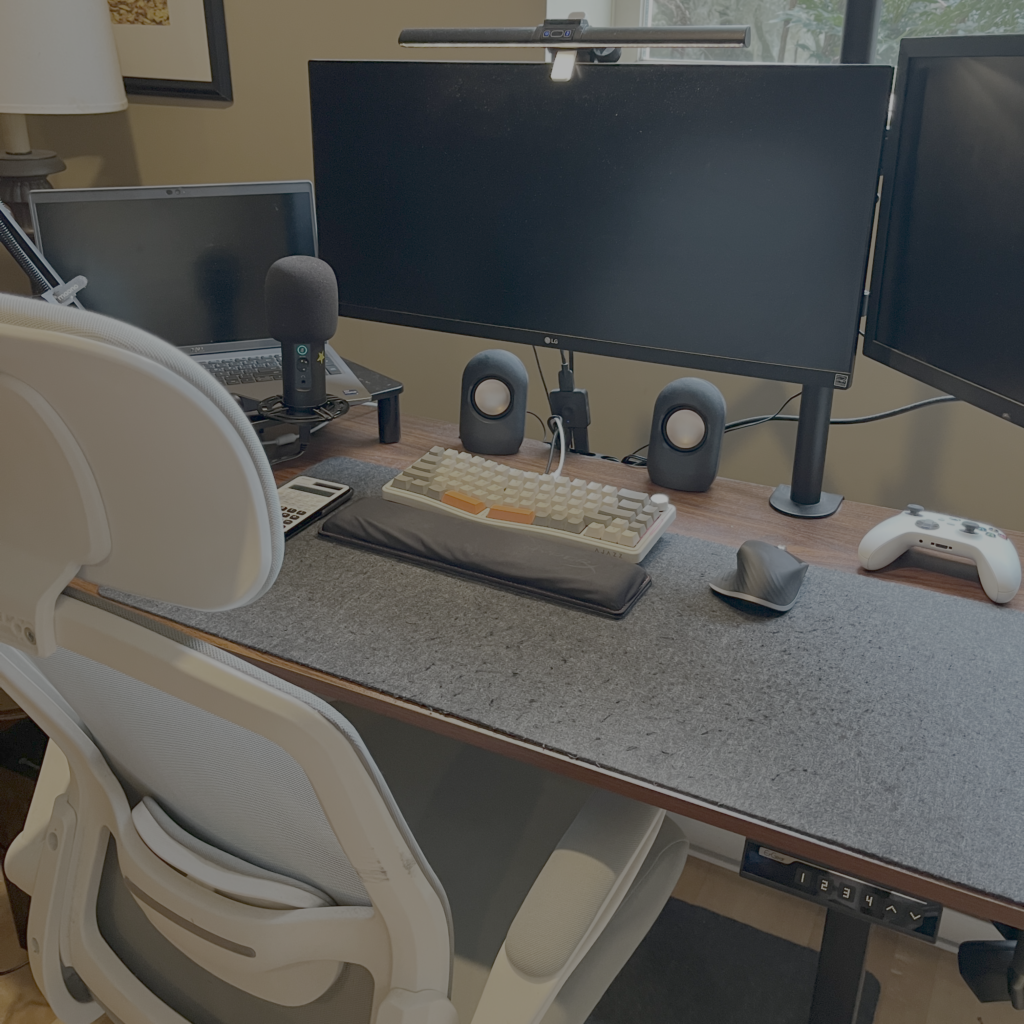
I used an Ergonomic chair, 2 LG monitors with blue light filters and and Ergonomic mouse with wrist rest. The chair also comes with a back rest, supporting my back throughout the day. This actually satisfy the majority of the Self-inspection checklist, which turns out to be a big bonus for me.
Biggest part of my setup is the standing desk, both the Work-from-home document and the checklist mentioned ergonomic standards for both sitting and standing. Having a desk that allows for height customization works well in satisfying these standards.
Recommendations
With all the resources reviewed and my own setup taken into considerations I created the following list of items I can incorporate in my setup:
- Measure the distance between my face and the monitor to be an arm’s length.
- Incorporate stretch and posture breaks throughout the day.
- Incorporate a sit-stand switching system.
Leave a Reply